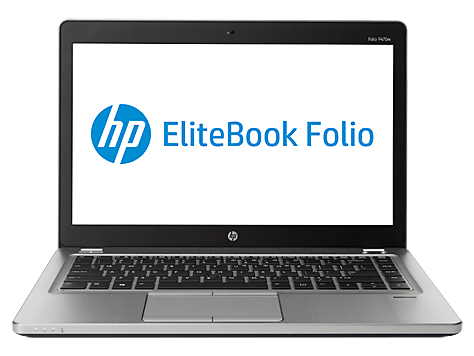
Introducing the HP EliteBook Folio 9470m
Something funny happened when a lot of us weren't really paying attention last year: Intel's nascent "ultrabook" specification and definition quietly expanded and, in the process, sort of redefined what a notebook was. In their own circular way, Intel created a brand and changed the way notebooks were built (with ULV Ivy Bridge leading the way); I'm sure it's no coincidence that this trademarked product name has only squeezed AMD further. Ultrabooks that were 14" and larger weren't as rigidly confined by the definition as ones below that threshold, but they're still smaller creatures than the notebooks of old.

If you haven't been paying attention, thin is in. That's great for the consumer space, where certain enterprise level accoutrements aren't as important, but in enterprise, there are features that are more heavily demanded. It goes beyond the basic mil-spec testing: users want true docking stations and longer battery life. And IT departments demand user serviceability. When you're trying to develop a thin chassis, finding some way to include thesefeatures can complicate things. HP seems to think they've gotten the balance right with their EliteBook Folio 9470m.
HP EliteBook Folio 9470m Specifications
Processor Intel Core i5-3427U
(2x1.8GHz + HTT, Turbo to 2.8GHz, 22nm, 3MB L3, 17W)
Chipset Intel QM77
Memory 1x4GB Hynix DDR3-1600
Graphics Intel HD 4000 Graphics
(16 EUs, up to 1.15GHz)
Display 14" LED Matte 16:9 1366x768
AU Optronics AUO253C
Hard Drive(s) 180GB Intel 520 SATA 6Gbps SSD
Optical Drive -
Networking Intel Centrino Advanced-N 6235 802.11a/b/g/n
Bluetooth 4.0
Intel 82579LM Gigabit Ethernet
Audio IDT 92HD91BXX HD Audio
Stereo speakers
Single combination mic/headphone jack
Battery Long Life 4-Cell, 14.8V, 52Wh (integrated)
Front Side -
Right Side 2x USB 3.0
DisplayPort
SD/MMC Reader
VGA
Docking port
Ethernet
Left Side AC adaptor
Vent
USB 3.0 charging port
Mic/headphone combo jack
SmartCard reader
Back Side -
Operating System Windows 8 Pro 64-bit
Dimensions 13.3" x 9.09" x 0.75"
338mm x 231mm x 18.9mm
Weight 3.6 lbs
1.63kg
Extras Webcam
SSD
mSATA slot
Bluetooth
Backlit keyboard
SmartCard reader
Fingerprint reader
Optional 60Wh slice battery
Optional docking station
Optional WWAN
Warranty 1-year limited, 3-year available
Pricing Starts at $1,349
As configured: $1,349
Despite the overall larger chassis, HP has opted to stick with ULV Ivy Bridge with the Intel Core i5-3427U. The 3427U is similar to the newer 3337U, but has an extra 100MHz on the turbo clocks and another 50MHz on the GPU. This enterprise class notebook makes a very interesting counterpoint to Dell's own XPS 13, reviewed here recently; Dell's XPS notebooks are essentially designed to bridge the gap between consumer and enterprise laptops.
The Folio 9470m sports two user-accessible DIMM ports, but HP only populates one with a paltry 4GB of DDR3-1600, typical of the traditional enterprise tax. Thankfully there's a 180GB Intel SSD standard, as well as room to add an mSATA SSD later. There's also a WWAN slot included, the battery is removable, and HP continues to include a SmartCard reader.
Of course, things being what they are, HP only includes a 1366x768 TN panel display in the basic model of the 9470m and I don't have to tell you that it's spectacularly crappy, even by bad notebook display standards. It's hard to believe in 2013 that I can have 1280x720 on my 4" smartphone, but HP can't somehow do better than that in a stock notebook configuration. Thankfully the 9470m can be ordered with a 1600x900 panel, but that's still a far cry from the 1080p IPS goodness being found on many consumer notebooks.